
How to Explore Listings on ConfinementCares.com
[For All Users]
Whether you're planning ahead for confinement care or looking for postnatal support right now, ConfinementCares makes it easy to find services relevant to where you live. Here's how to explore listings and filter them by country.
Step 1: Visit the Listings Page
Go to https://confinementcares.com/ and click Listings in the top navigation menu, or scroll down the homepage to the "Explore Confinement, Women's Wellness, Baby Care & More" search section.
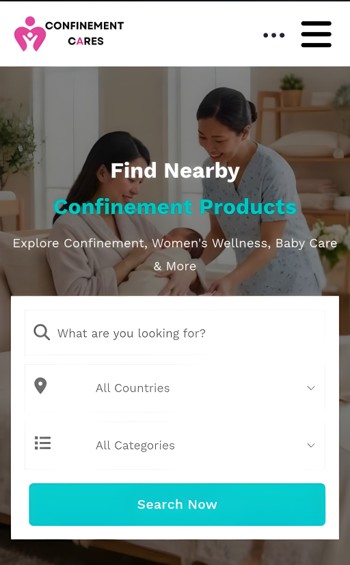
Listings navigation / homepage search section
Step 2: Select Your Country
Use the country dropdown (defaulting to "All Countries") and choose the country you'd like to browse. ConfinementCares currently supports:
- Malaysia
- Indonesia
- Singapore
- Thailand
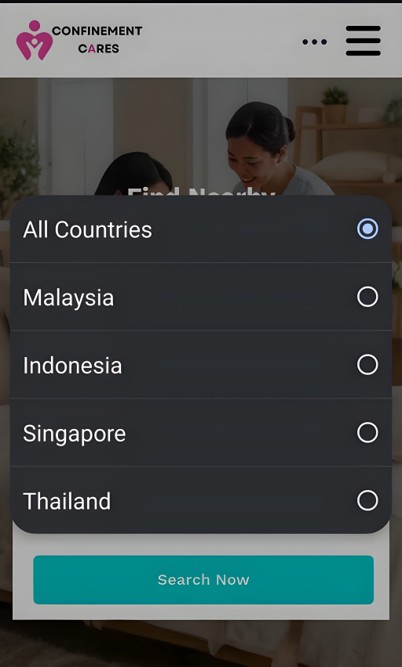
Country dropdown
Step 3: Narrow It Down by Category (Optional)
If you're looking for something specific, use the category dropdown (defaulting to "All Categories") alongside your country selection. Categories include:
- Confinement Cares
- Confinement Products
- Confinement Centers
- Confinement Courses
- Confinement Nannies
- Medical Support
- Women Wellness
- BabyCare & Learning
- ChildCare & Learning
- Mom and Baby Care
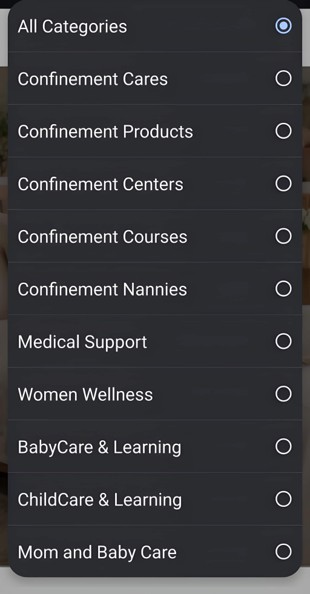
Category dropdown
Step 4: Click Search Now
Once you've selected your country (and optionally a category), click Search Now to see matching listings.
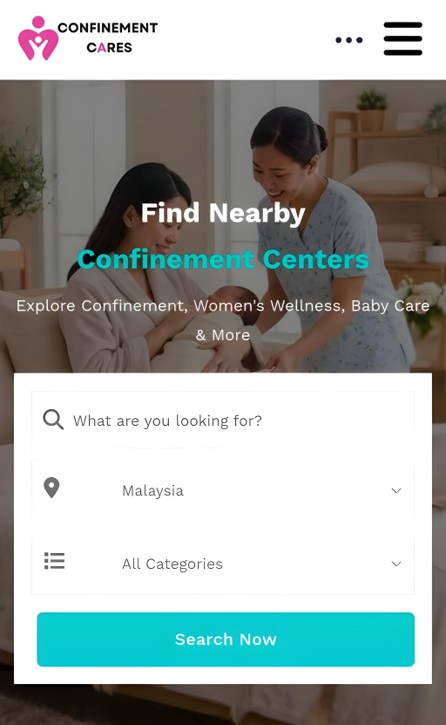
Search Now button
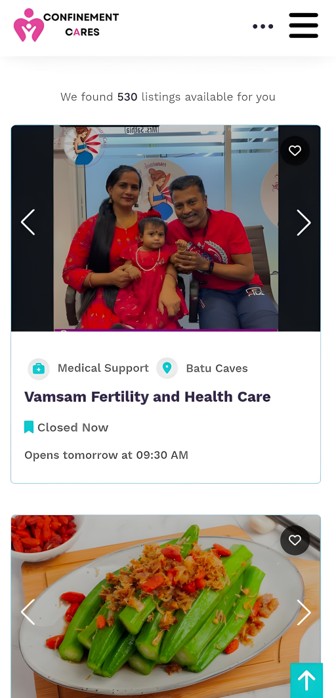
Step 5: Browse and Compare Listings
Scroll through the results to compare services. Each listing shows key details at a glance, including its category, location, and current open/closed status, so you can quickly spot what fits your needs.
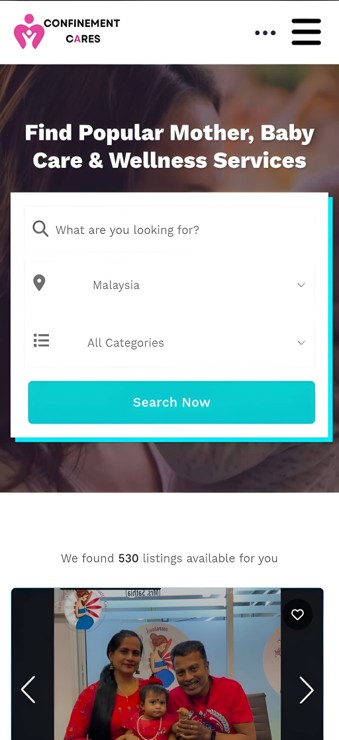
Listings results page
Step 6: Click Into a Listing for Full Details
Click on any listing to view its full profile, including contact information, business hours, photos, and a full description of the services offered.
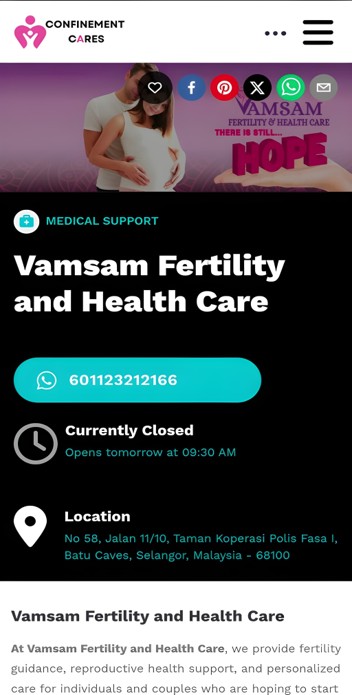
Full listing detail page
Important Notes
- You can also browse by country directly from the homepage's "Our Service Locations" section, which shows the number of listed places in each country — Malaysia, Indonesia, Singapore, and Thailand.
- You don't need an account to search or browse listings — only to save favorites, leave reviews, or manage your own business listing.
Frequently Asked Questions
Q: Do I need to create an account to search listings?
A: No, browsing
and searching listings is open to everyone. You'll only need an account for actions like saving
favorites or managing your own business listing.
Q: What does "Open Now" mean on a listing?
A: It shows whether the
business is currently open based on the hours they've listed, so you can see at a glance if it's a good
time to reach out.
Need Help? If you have trouble finding what you're looking for, our team is happy to help.
📧 Email: [email protected]
Run a business that belongs on ConfinementCares? Learn how to create a business listing and get discovered by moms in your country.
Recommended Blog Topics
- How to Register an Account
- How to Claim your Listing
- How to Create a Business Listing
- How to Edit Your Listing
- How to Upload Photos
- How to Update Contact Information
- How to Share Your Listing
- How to View Listing Status
- How to Reset Your Password
- How to Like, Rate, and Review a Listing
- How to Access Resources
- How to Explore Blogs