
How to Share Your Listing on ConfinementCares.com
[For Confinement Center Business Owners]
Want more people to discover your business on ConfinementCares? Sharing your listing link on your social media is a quick, free way to drive traffic straight to your profile. Here's how to do it.
Step 1: Copy Your Listing Link
Go to https://confinementcares.com/ and find your business listing in the directory. Once you're on the listing page, copy the link from your browser's address bar.
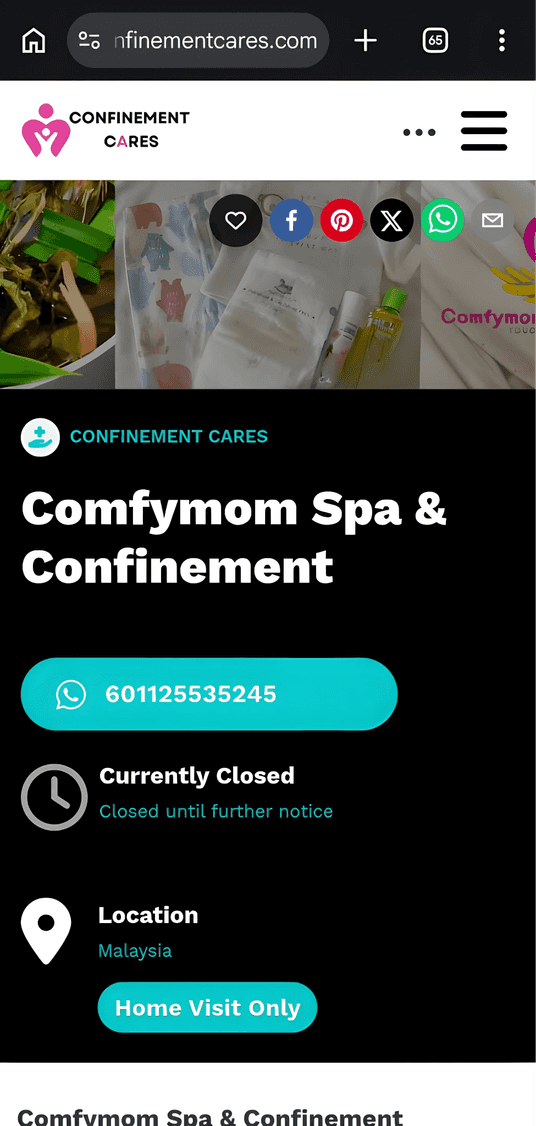
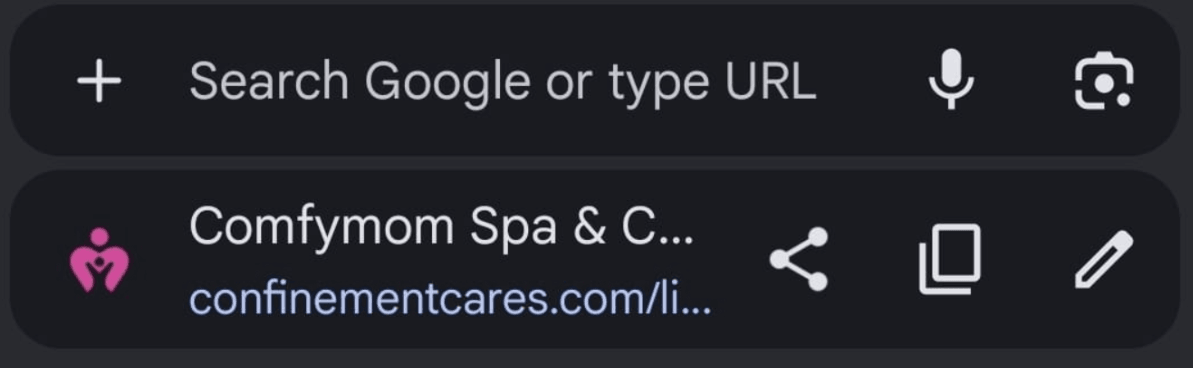
Copying the listing URL from the address bar
Step 2: Add the Link to Your Social Media Bio
Paste your listing link into the bio section of your social media profiles, such as:
- TikTok
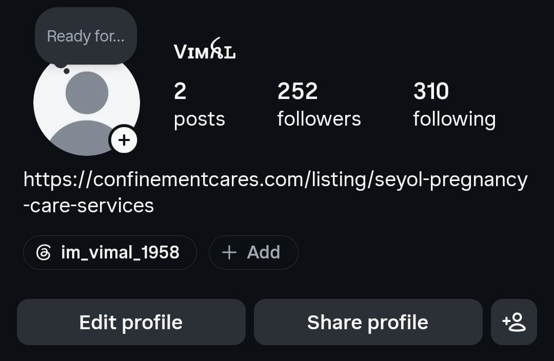
Pasting the link into a social media bio
That's it! Anyone who visits your social profile can now tap through directly to your ConfinementCares listing to view your services, contact details, and photos.
Important Notes
- Sharing your listing link is a simple, manual step — there's currently no built-in "Share" button on the listing page itself.
- Keeping your listing link in your bio is especially useful if you frequently post on social media, since it gives followers an easy way to find your full business profile in one tap.
- Make sure your listing information is complete and up to date before sharing it widely, so visitors see accurate details.
Frequently Asked Questions
Q: Can I share my listing link anywhere else besides social media bios?
A: Yes — you can share the link in posts, stories, messages, or even printed materials like flyers
or business cards.
Q: Do I need to claim my listing before I can share it?
A: No. You can share a listing even if you have not claimed it. However, claiming your listing
allows you to manage and update the listing information.
Q: Will sharing my listing improve my visibility on ConfinementCares?
A: Yes, sharing your listing online can help increase your business visibility by reaching more
potential customers through social media, messaging apps, and other channels.
Need Help? If you have any questions about sharing your listing, reach out to our team.
📧 Email: [email protected]
Haven't claimed your listing yet? Learn how to claim it so you can manage and share it with confidence.
Recommended Blog Topics
- How to Register an Account
- How to Create a Business Listing
- How to Claim Your Listing
- How to Edit Your Listing
- How to Upload Photos
- How to Update Contact Information
- How to View Listing Status
- How to Reset Your Password
- How to Like, Rate, and Review a Listing
- How to Explore Blogs
- How to Explore Listings
- How to Access Resources