
How to Update Contact Information on ConfinementCares.com
[For Confinement Center Business Owners]
Keeping your phone number, email, and address up to date ensures new moms can actually reach you. Here's how to update your contact details on your ConfinementCares business listing.
Step 1: Log In to Your Account
Go to https://confinementcares.com/ and click Login / Register, then sign in with your registered email and password.
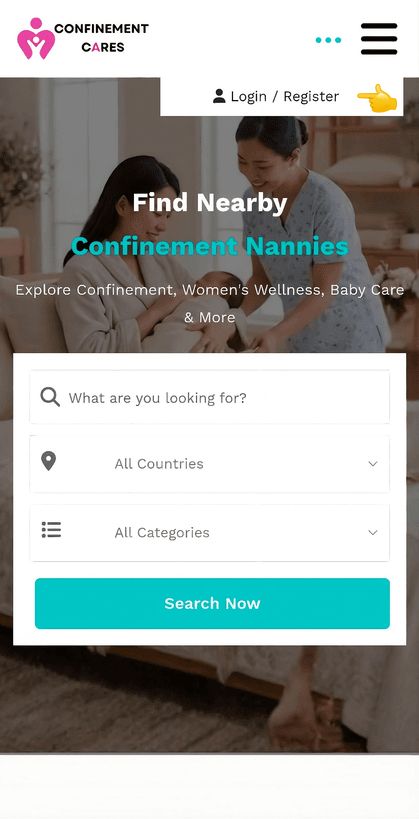
Login page
Step 2: Open Your Dashboard
After logging in successfully, go to your Profile Dashboard by clicking My Account → Dashboard
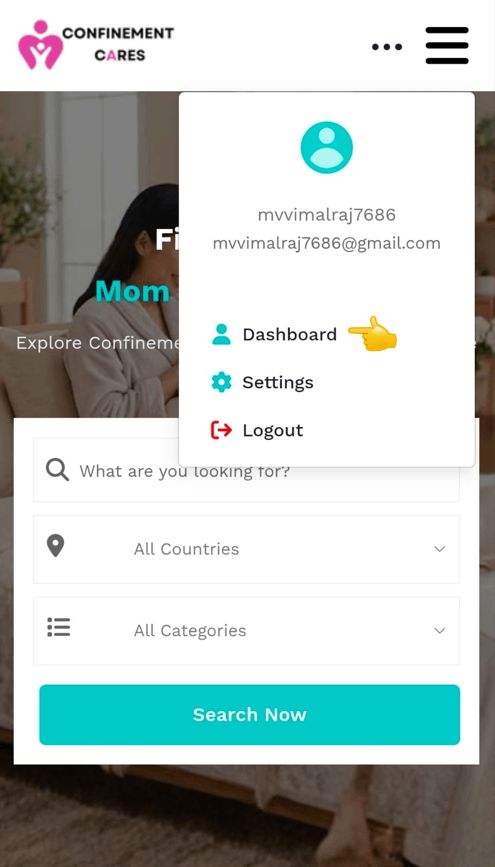
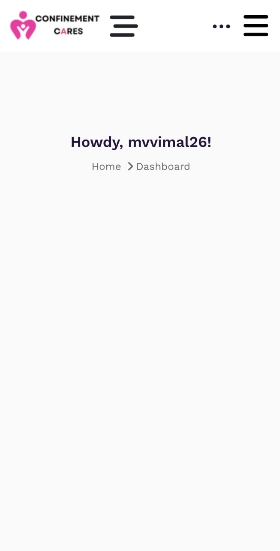
Dashboard
Step 3: Go to My Listings
Open the side menu and, under the Listings section, select My Listings, then choose the listing you want to update and click Edit.
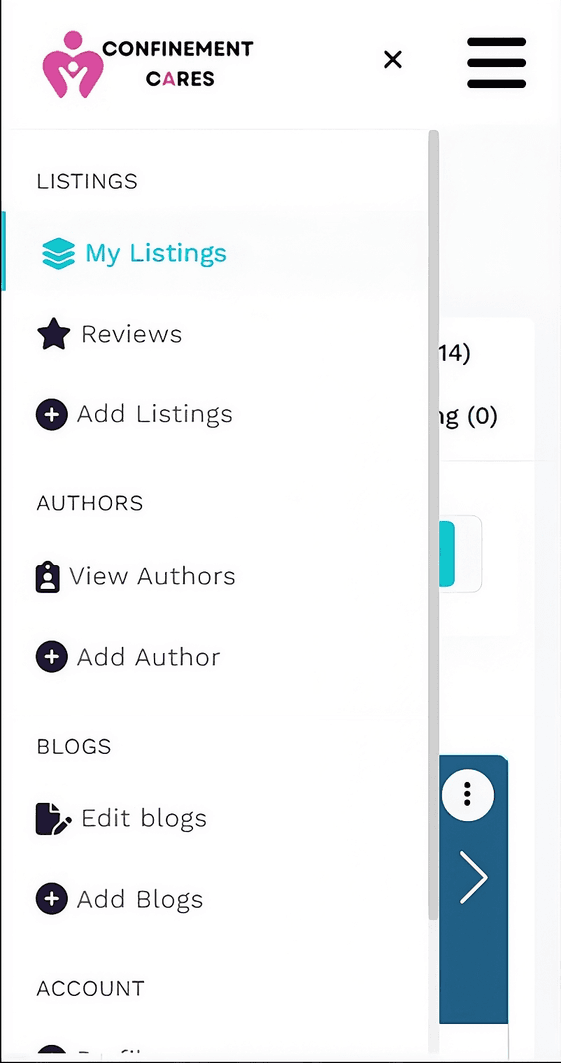
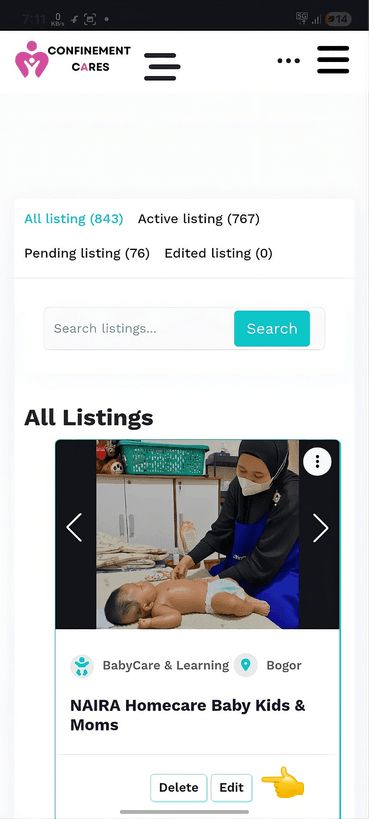
My Listings — Edit option
Step 4: Find the Contact Information Section
Scroll to the Contact Information section of the Edit Listing page. This typically includes:
- Phone Number
- Email Address
- Website
- Social Media Links
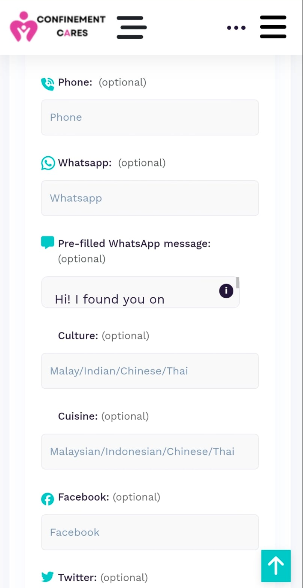
Contact Information fields
Step 5: Update Your Details
Edit the relevant fields with your current phone number, email, or other contact details. Double-check for typos, especially in your phone number and email address.
Editing contact fields
Step 6: Save Your Changes
Scroll to the bottom of the page and click Submit Listing to save your changes.
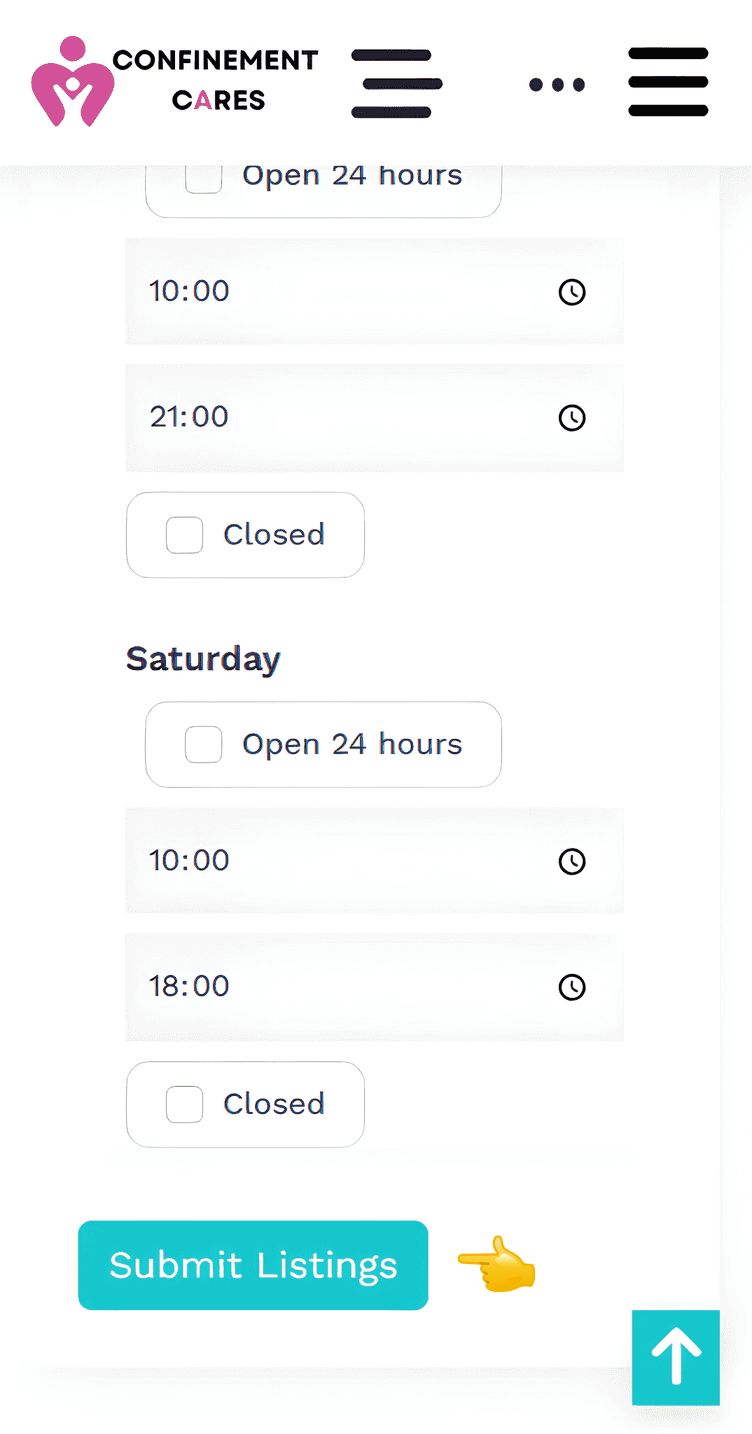
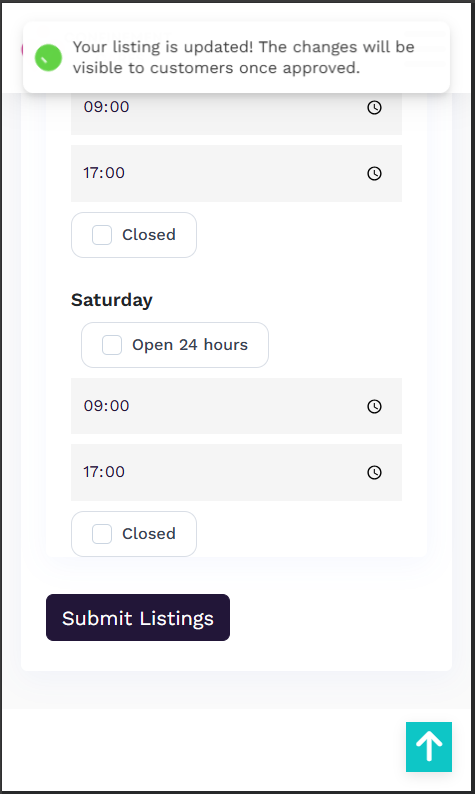
Submit button
Step 7: Wait for Approval
Since contact information is considered sensitive, your changes may be held for admin review before appearing on your live listing.
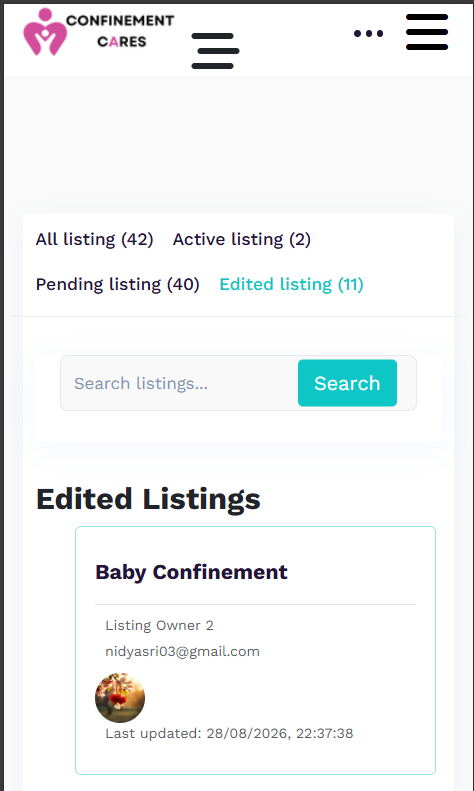
Pending approval notice
Important Notes
- Changes to your phone number, address, or other sensitive information may require admin approval before they appear on your live listing.
- Most other listing changes are published immediately.
- Make sure your contact details are accurate — incorrect information may cause you to miss inquiries from potential customers.
Frequently Asked Questions
Q: Why isn't my updated phone number showing yet?
A: Changes to sensitive information like phone numbers and addresses may require admin approval
before going live.
Q: How long does approval usually take?
A: Normally it should be done within 24 hours.
Q: Can I update my address too?
A: Yes, your business address is edited the same way, in the same Contact Information / Address
section of your listing.
Q: What if I forgot my password and can't log in to make changes?
A: Click Forgot Password on the login page and follow the instructions.
Need Help? If you run into any issues updating your contact information, our team is happy to help.
📧 Email: [email protected]
Want to update more than just your contact details? Learn how to edit your listing to keep your entire profile fresh and accurate.
Recommended Blog Topics
- How to Register an Account
- How to Claim your Listing
- How to Create a Business Listing
- How to Edit Your Listing
- How to Upload Photos
- How to View Listing Status
- How to Share Your Listing
- How to Reset Your Password
- How to Like, Rate, and Review a Listing
- How to Explore Blogs
- How to Explore Listings
- How to Access Resources