
How to View Your Listing Status on ConfinementCares.com
[For Confinement Center Business Owners]
Since some changes to your listing — like updates to your phone number or address — require admin approval, it's useful to know how to check whether your listing is live, pending review, or needs attention. Here's how to check your listing status.
Step 1: Log In to Your Account
Go to https://confinementcares.com/ and click Login / Register, then sign in with your registered email and password.
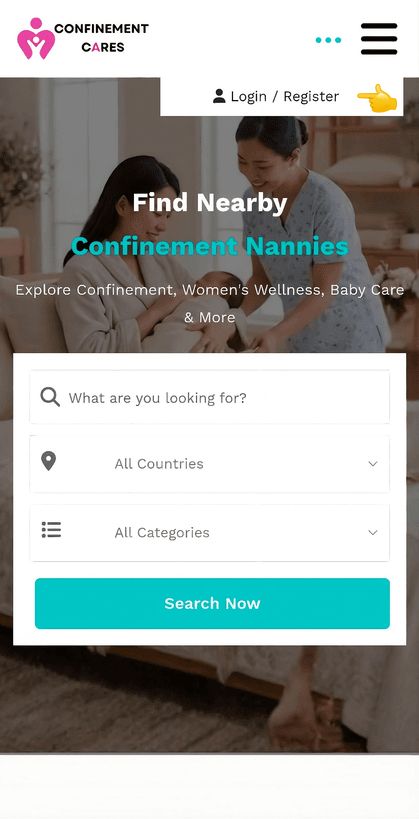
Login page
Step 2: Open Your Dashboard
After logging in successfully, go to your Profile Dashboard by clicking My Account → Dashboard
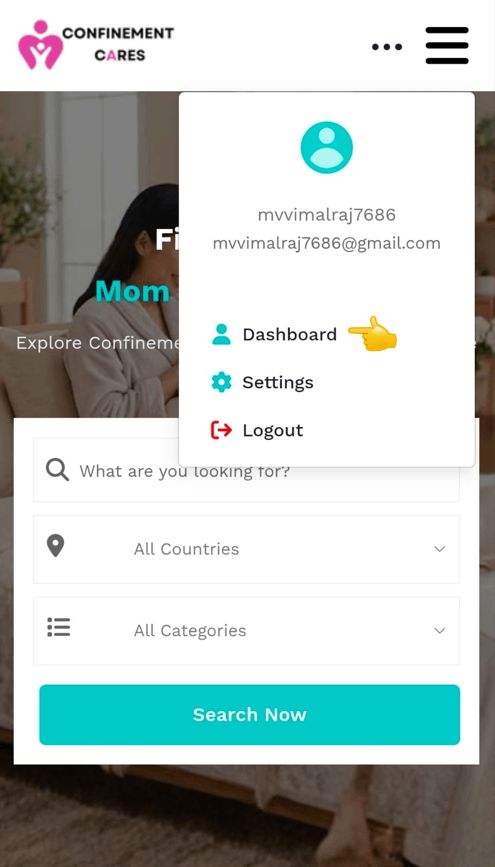
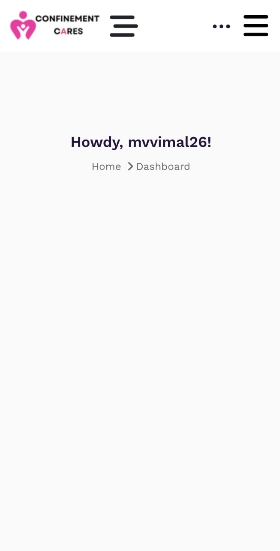
Dashboard
Step 3: Go to My Listings
Open the side menu and, under the Listings section, select My Listings.
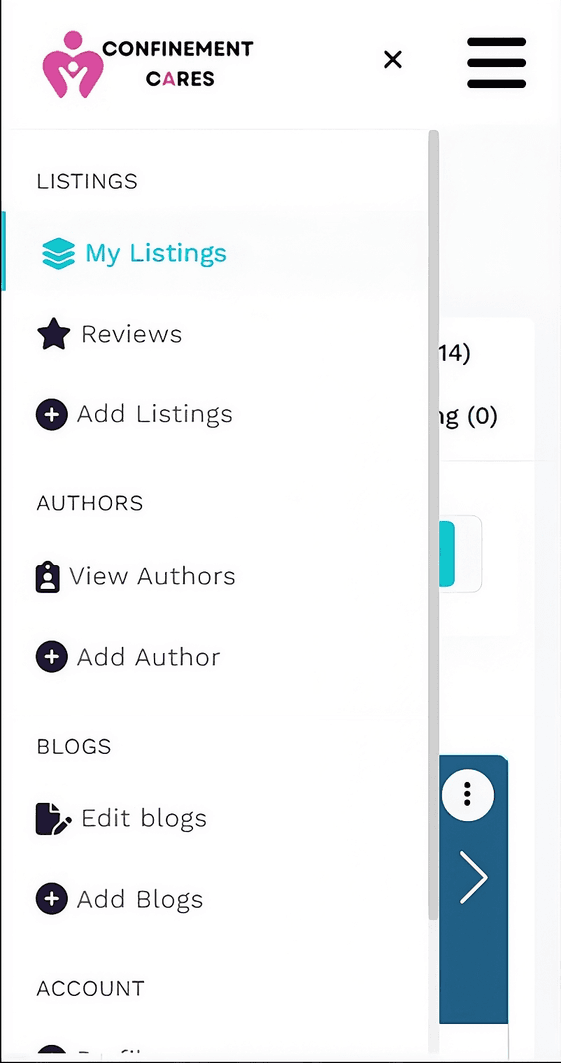
My Listings menu
Step 4: Check the Status Next to Each Listing
On the My Listings page, each of your listings should display a status label, such as:
- Active Listings — visible to the public
- Pending Listings — awaiting admin approval
- Edited Listings — listing updates awaiting admin approval
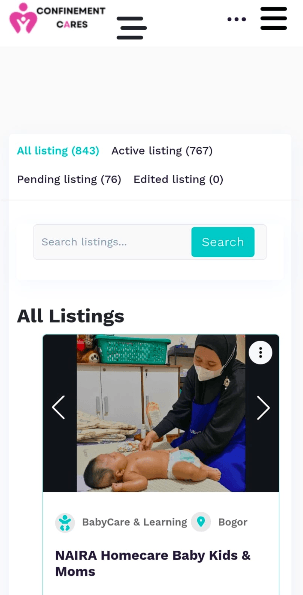
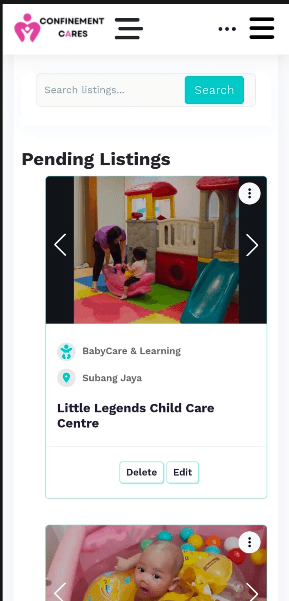
Listing status labels
Important Notes
- Most listing changes are published immediately, but changes to sensitive fields (like phone number or address) may show as "Pending" until an admin approves them.
- If a listing has been pending for an unusually long time, contact support for an update.
Frequently Asked Questions
Q: Why does my listing say "Pending"?
A: Some changes, like updates to your phone number or address, require admin approval before they
go live. This is
normal and doesn't mean anything is wrong with your listing.
Q: How long does approval usually take?
A: Normally it should be done within 24 hours.
Q: What happens if my listing is rejected?
A: If your listing is rejected, you can review the feedback provided by the ConfinementCares support team,
make the necessary changes, and resubmit your listing for approval.
Q: Can I edit a listing while it's pending?
A: Yes. You can edit your listing while it is pending review. Please note that making changes may
require the listing to go through the review process again.
Need Help? If your listing status seems stuck or incorrect, please reach out to our support team.
📧 Email: [email protected]
Need to make a change while you wait? Learn how to edit your listing to keep your information accurate.
Recommended Blog Topics
- How to Register an Account
- How to Claim your Listing
- How to Create a Business Listing
- How to Edit Your Listing
- How to Upload Photos
- How to Update Contact Information
- How to Share Your Listing
- How to Reset Your Password
- How to Like, Rate, and Review a Listing
- How to Explore Blogs
- How to Explore Listings
- How to Access Resources