
How to Claim Your Listing on ConfinementCares.com
[For Confinement Center Business Owners]
Found your business already listed on ConfinementCares but it's not linked to your account yet? You can claim it in just two simple steps. Claiming your listing lets you manage its details, update contact information, upload photos, and respond to inquiries directly.
Step 1: Copy Your Listing Link
Go to https://confinementcares.com/ and find your business listing on the directory. Once you're on the listing page, copy the link from your browser's address bar.
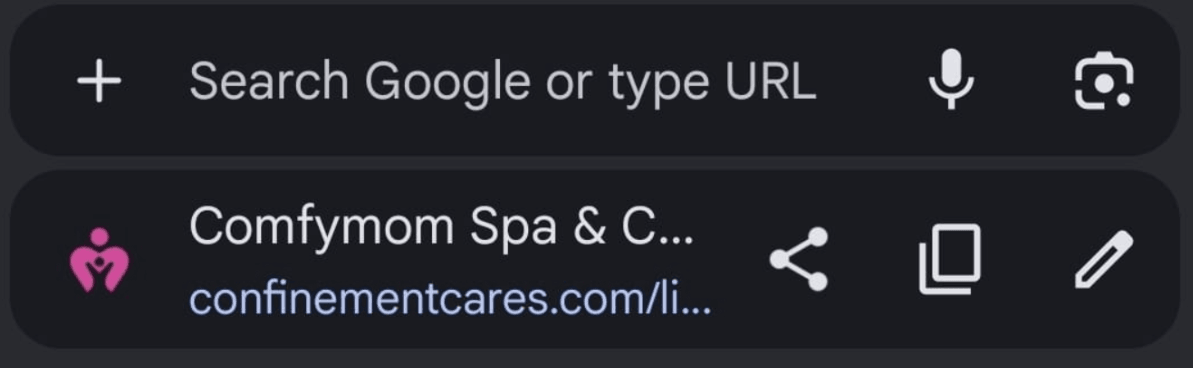
Copying the listing URL from the address bar
Step 2: Contact Our Team to Claim It
Reach out to the ConfinementCares team with your listing link and let us know you'd like to claim it. You can contact us through any of the following:
- Instagram: https://www.instagram.com/confinementcares
- Facebook: https://web.facebook.com/confinementcares
- Email: [email protected]
- WhatsApp: https://api.whatsapp.com/send/?phone=601167512123
Our team will verify your ownership of the business and link the listing to your account.
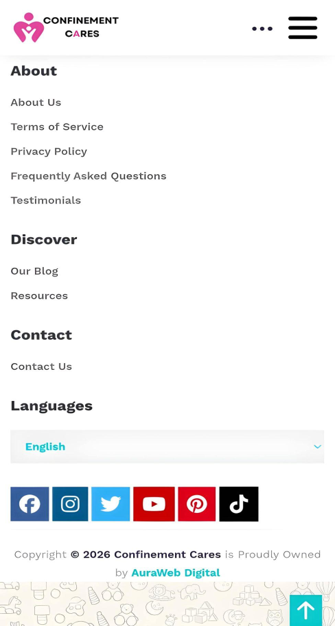
Contact channels
Important Notes
- Claiming a listing is currently a manual process handled by our team — there's no automatic "Claim" button on the listing page itself.
- Be ready to provide proof that you're the business owner (e.g. business registration details, matching contact information) to help us verify your claim quickly.
- Once your claim is approved, you'll be able to edit the listing, update contact details, and upload photos directly from your dashboard.
Frequently Asked Questions
Q: How long does it take to claim a listing?
A: It usually takes up to 24 hours.
Q: What proof do I need to provide to claim my listing?
A: You need to provide the email or phone number that matches the listing.
Q: What if my business isn't listed yet?
A: If your business doesn't have a listing yet, you can
create a new business listing.
Q: Can I claim a listing without creating an account first?
A: No. You must create an account first. After that, our team can transfer the listing to your
account.
Need Help? If you have any questions about claiming your listing, reach out to our team.
📧 Email: [email protected]
Once you've claimed your listing, learn how to edit it to keep your information fresh and accurate.
Recommended Blog Topics
- How to Register an Account
- How to Create a Business Listing
- How to Edit Your Listing
- How to Upload Photos
- How to Update Contact Information
- How to Share Your Listing
- How to View Listing Status
- How to Reset Your Password
- How to Like, Rate, and Review a Listing
- How to Explore Blogs
- How to Explore Listings
- How to Access Resources