
How to Reset Your Password on ConfinementCares.com
[For All Users]
Forgot your password? No worries — resetting it only takes a few minutes. Here's how to get back into your ConfinementCares account.
Step 1: Go to the Login Page
Visit https://confinementcares.com/ and click Login / Register in the top-right corner of the page.
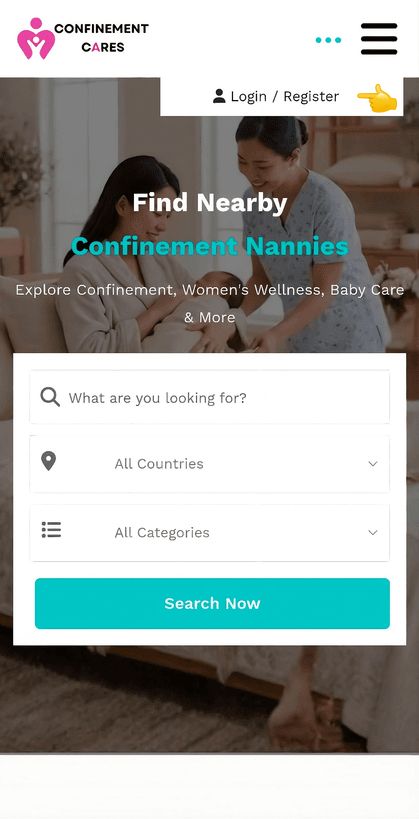
Login page
Step 2: Click "Forgot Password"
On the login screen, click the Forgot Password link, usually located below the password field.
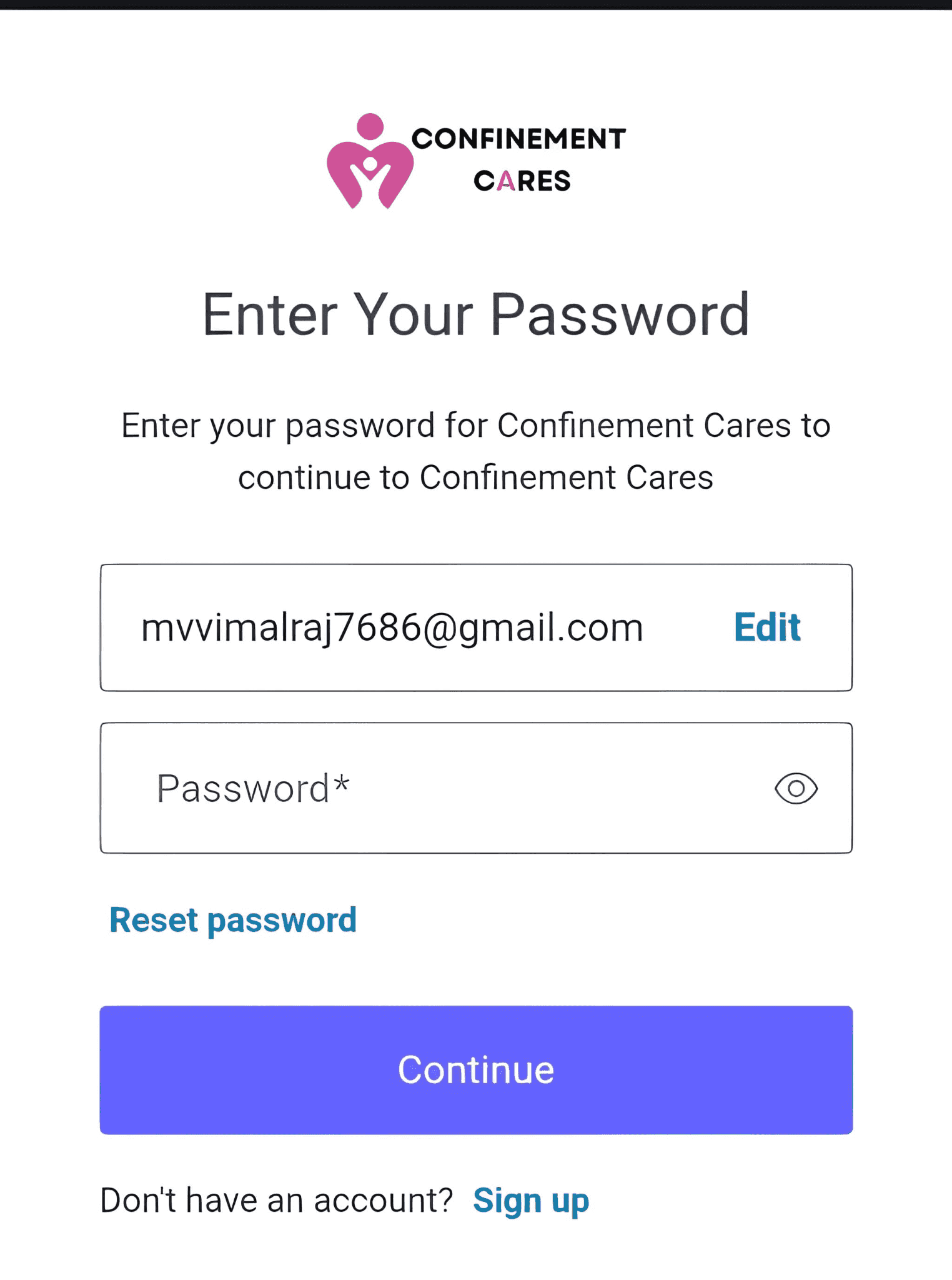
Forgot Password link
Step 3: Enter Your Registered Email
Type in the email address associated with your ConfinementCares account, then click [Submit / Send Reset Link]
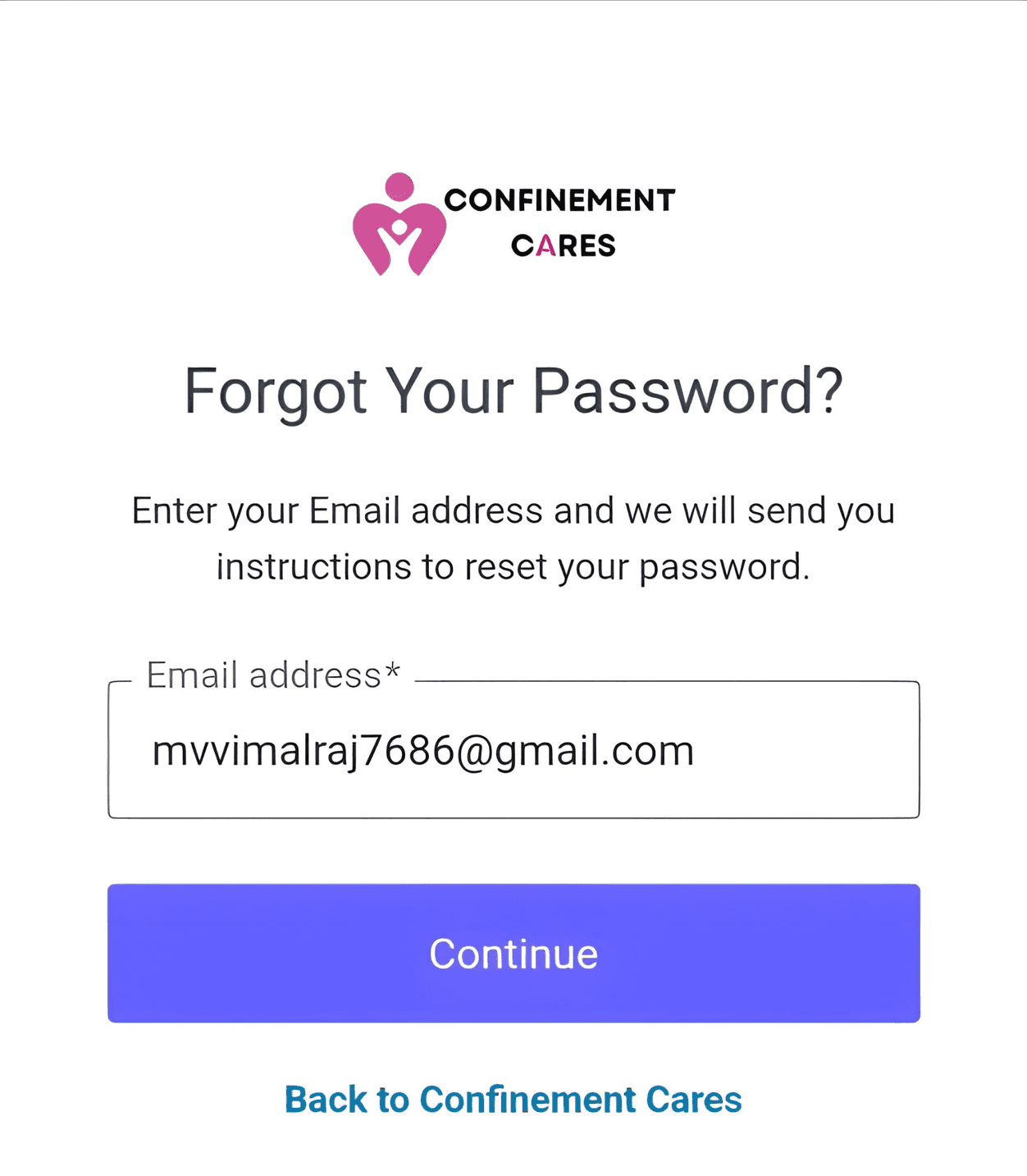
Email entry for password reset
Step 4: Check Your Inbox
Look for a password reset email from ConfinementCares. If you don't see it within a few minutes, check your spam or junk folder.
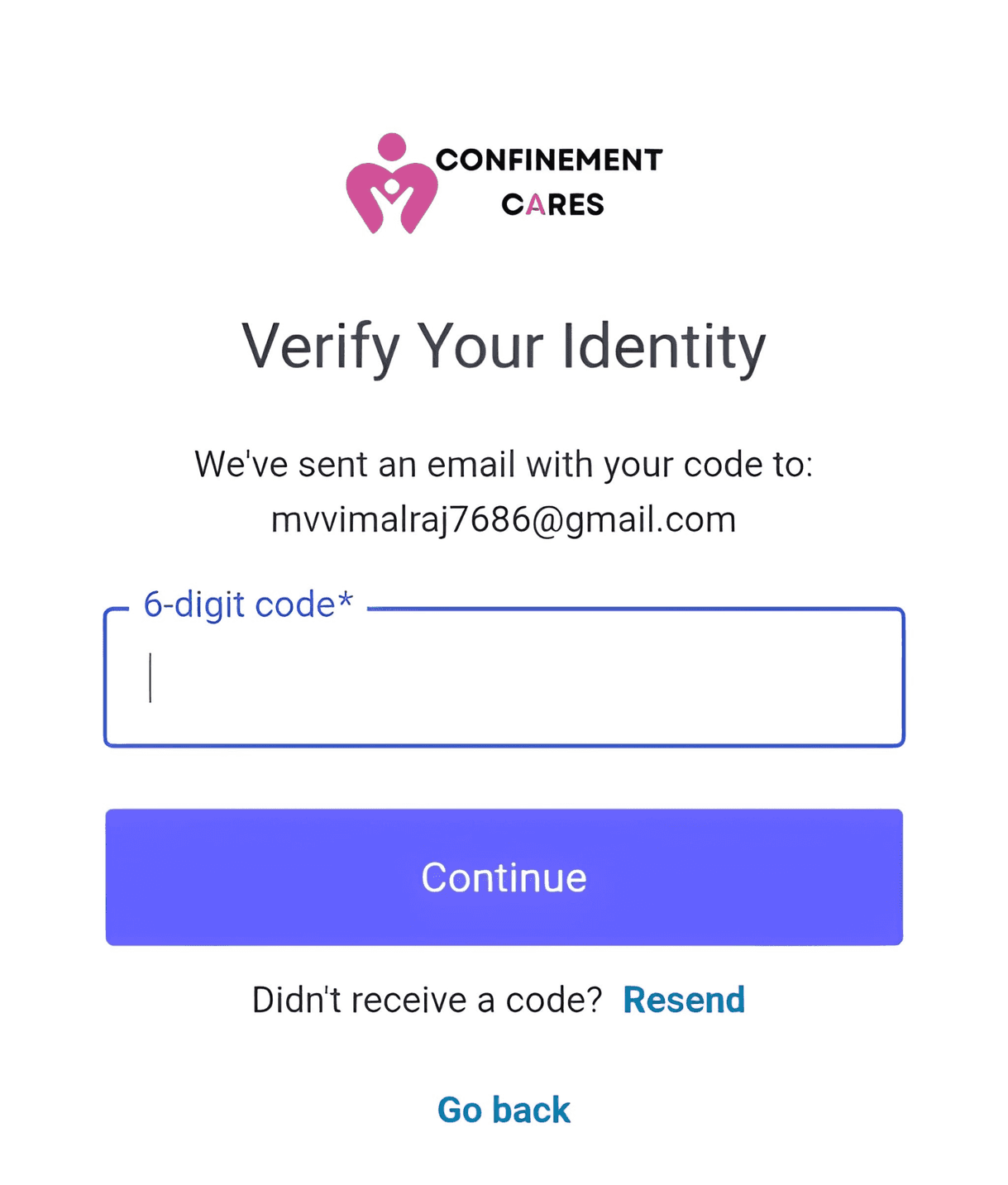
Password reset email
Step 5: Click the Reset Link
Open the email and click the reset link. This will take you to a page where you can create a new password.
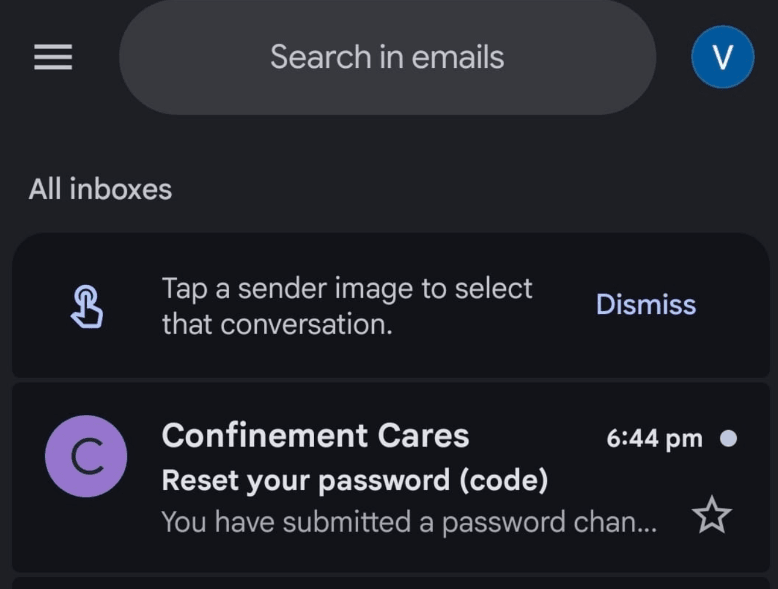
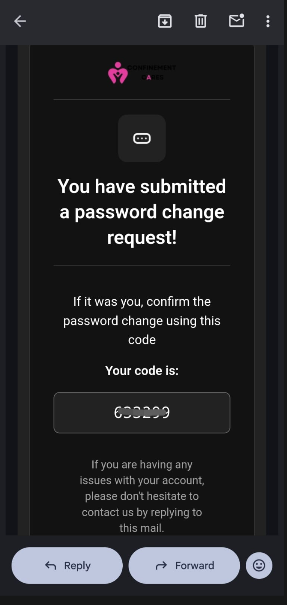
Reset password page
Step 6: Create a New Password
Enter a new password and confirm it, then click [Reset Password / Save]
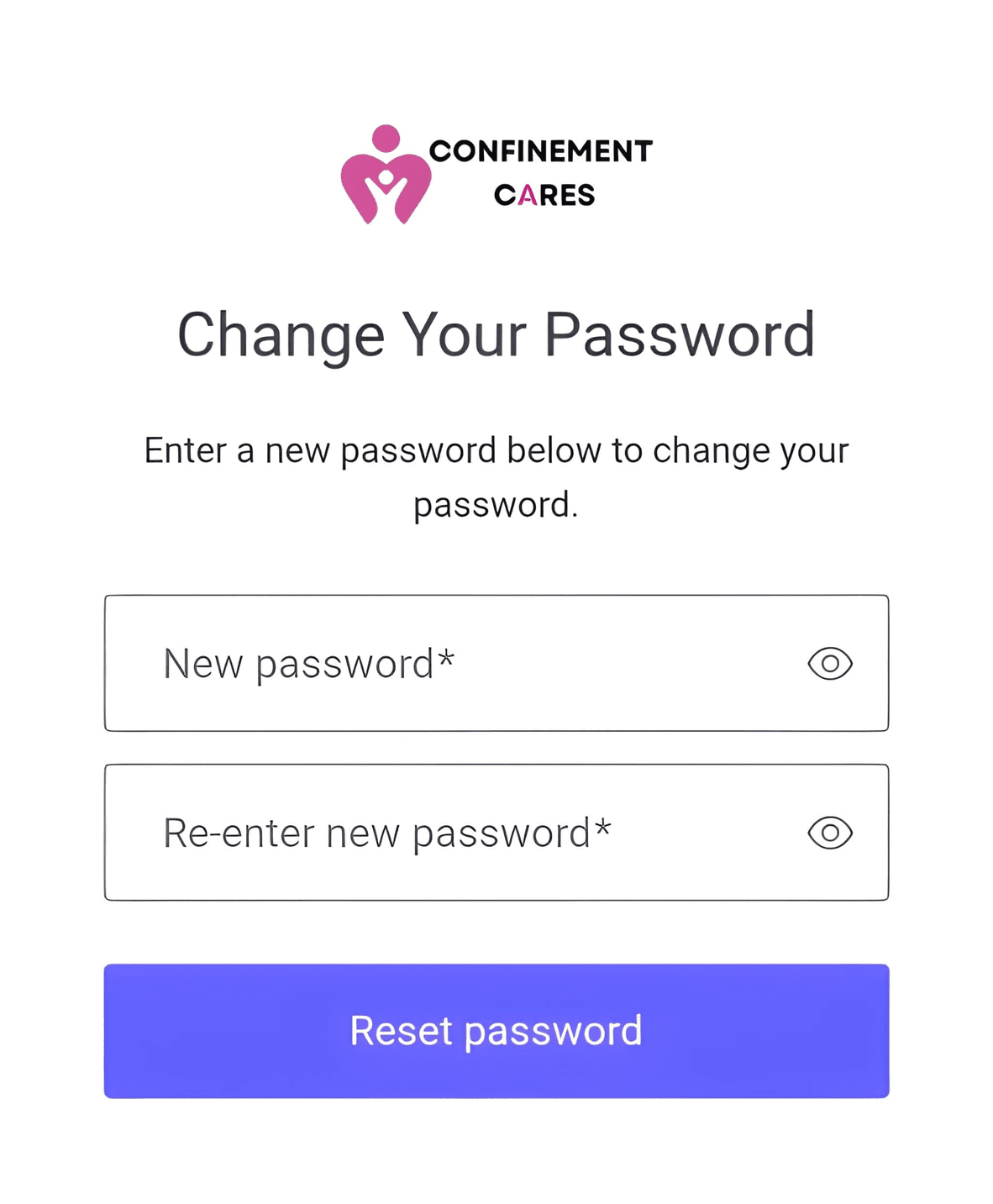
New password fields
Step 7: Log In With Your New Password
Return to https://confinementcares.com/, click Login / Register, and sign in using your email and new password.
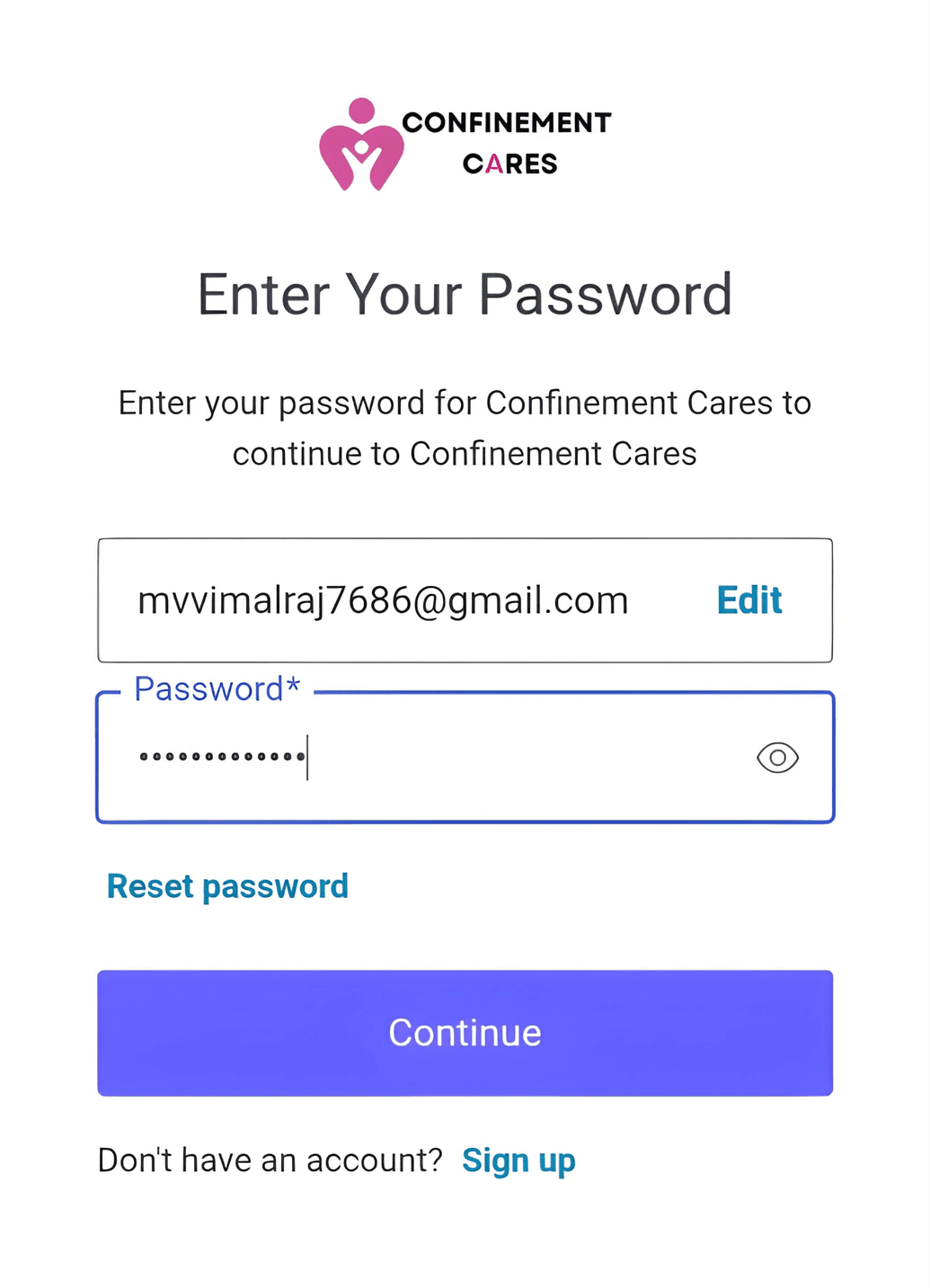
Login with new password
Important Notes
- Reset links are usually time-sensitive and may expire after a set period.
- If you don't receive the reset email, double-check that you entered the correct registered email address before contacting support.
Frequently Asked Questions
Q: I didn't receive the password reset email. What should I do?
A: Check your spam or junk folder first. If it's still not there after a few
minutes, contact our support team to confirm the email on file for your account.
Q: How long is the reset link valid?
A: The password reset link is valid for a limited period for security reasons. If the link has
expired, you can request a new password reset link using your registered email address.
Q: Can I reset my password if I no longer have access to my registered email?
A: No. You need access to your registered email address to reset your password. If you no longer
have access to that email, please contact us at [email protected] for assistance in recovering your
account.
Q: What makes a strong password?
A: Use a mix of uppercase and lowercase letters, numbers, and symbols,
and avoid reusing passwords from other accounts.
Need Help? If you're having trouble resetting your password, our team is happy to help.
📧 Email: [email protected]
Back in your account? Learn how to edit your listing or update your contact information to keep your profile current.
Recommended Blog Topics
- How to Register an Account
- How to Claim your Listing
- How to Create a Business Listing
- How to Edit Your Listing
- How to Upload Photos
- How to Update Contact Information
- How to Share Your Listing
- How to View Listing Status
- How to Like, Rate, and Review a Listing
- How to Explore Blogs
- How to Explore Listings
- How to Access Resources